
Build Your First Power BI Dashboard in Under 90 Minutes — For Free
Maintenance and reliability professionals:
Stop drowning in spreadsheets and take your first step toward data-driven decisions. No experience required. Step-by-step videos. A dashboard you can actually use.
Start Learning Now for Free!
Enter your details below for instant access to the Free Power BI Quick Start Course.
Built for maintenance and reliability professionals.
The Maintenance and Reliability World Is Changing — Are Your Skills Keeping Up?
Data, AI, and automation aren't future concepts anymore. They're shaping how maintenance decisions are made right now. The professionals who can visualise and analyse data are the ones being heard in meetings, leading initiatives, and moving their careers forward.
If you've been feeling the pressure to embrace data-driven decision-making but aren't sure where to start, you're not alone. Many experienced M&R professionals feel overwhelmed by tools like Power BI — not because they can't learn, but because nobody's shown them a clear first step.
That's exactly what this free course provides.
I Know How Overwhelming This Feels — I've Been There
Hi, I'm Jason, a maintenance and reliability professional with over 20 years of experience.
When I first looked at Power BI, I felt completely lost. The tutorials assumed knowledge I didn't have. The learning curve seemed impossibly steep.
Then I built my first dashboard — something simple, just tracking work orders — and everything changed. I realised this wasn't as hard as it looked. I just needed someone to show me where to start without all the jargon.
That's why I created this free course. Not to make you an expert overnight, but to get you to your first working dashboard in under 90 minutes — so you can prove to yourself that you can do this.
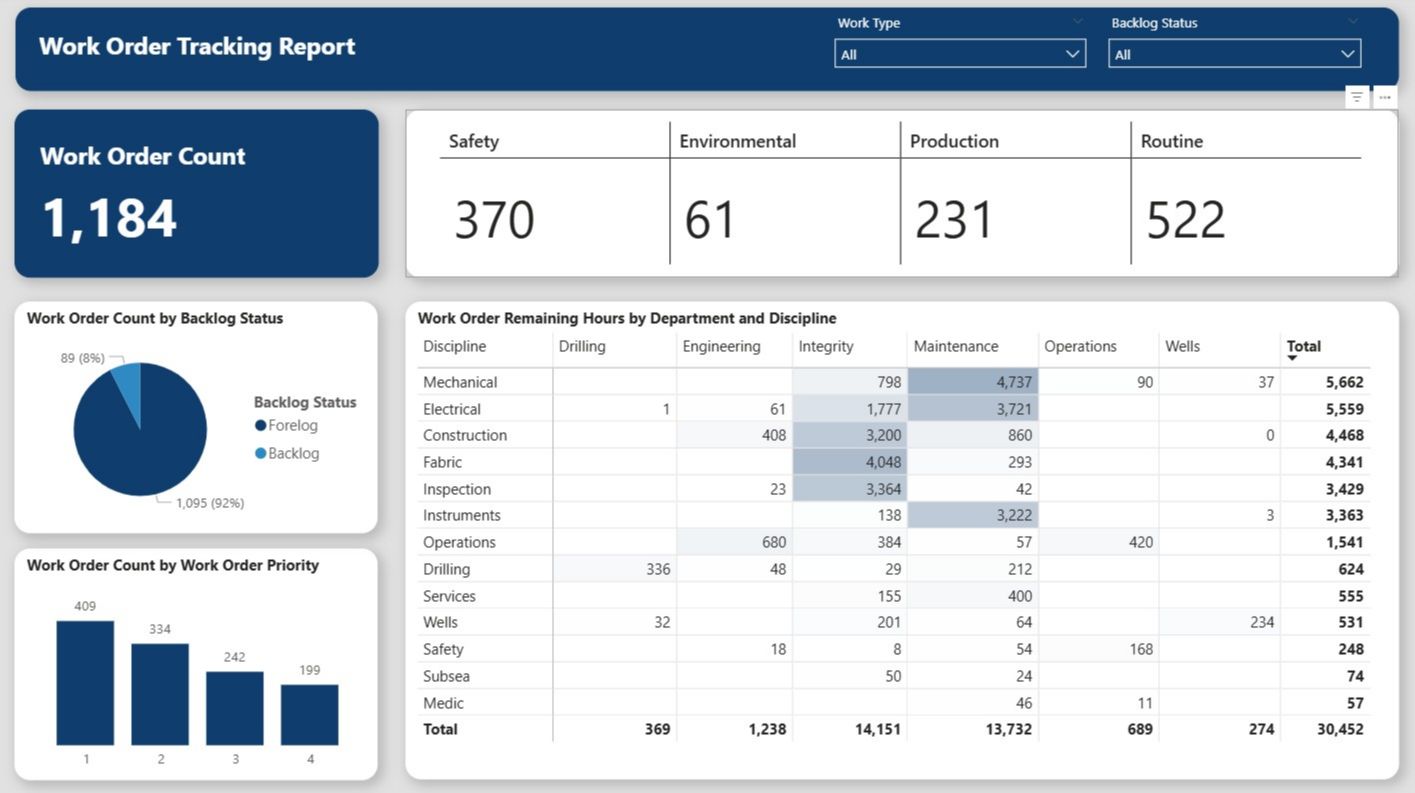
Here's the Dashboard You'll Build: A professional work order tracking dashboard — built by you, in under 90 minutes.
Three Steps. 90 Minutes. Your First Dashboard
Step 1: Sign up for FREE
Enter your name and email below for instant access. No credit card required.
Step 2: Follow the Step-by-Step Videos
Build a dashboard in under 90 minutes. You'll be amazed at how quickly you can go from zero to a working dashboard that looks fantastic!
Step 3: Explore Your Data
Use your new dashboard to interact with your work order data, spot trends, and see insights you've been missing.
Start Learning Power BI For Free
Create your first Power BI Dashboard in under 90 Minutes!
The Cost of Waiting
Doing Nothing is Falling Behind
Every month you delay learning data skills, the gap widens. The professionals who start now will be the ones leading data conversations, presenting to leadership, getting hired and shaping how maintenance is managed at their organisations.
The tools are free. This course is free. The only thing that costs you is not starting.
This Is Where Your Story Changes
After this course, you won't just have a dashboard — you'll have proof that you can do this. You'll understand how Power BI works. You'll see a clear path forward instead of a wall of complexity.
More importantly, you'll have a new answer when someone asks if you know Power BI: "Yes."
You'll walk away with:
- A working Power BI dashboard you can use immediately
- The confidence to keep learning, knowing the hardest part is behind you
- No more arguing about whose spreadsheet is right — everyone sees the same numbers
Ready to Build Your First Dashboard?
Sign up now and get instant access to the free Power BI Quick Start course.
In under 90 minutes, you'll have a working dashboard and the confidence to keep going.
No credit card. No obligation. Just a clear first step.
Start Learning Today
Build your first dashboard in under 90 minutes!
We respect your inbox. Unsubscribe anytime.